MS SQL Server SOUNDEX Function and Its Equivalent in MySQL


The SOUNDEX function checks whether two words are pronounced the same, irrespective of how they're spelled. For example, "Smith" and "Smythe" are pronounced the same even though they're spelled differently.

MS SQL Server

Syntax:

SOUNDEX ( character_expression )

Suppose a table column "LastName" has various employees whose last name is Smith, but written differently. To find all rows whose names are pronounced as Smith, use SOUNDEX:
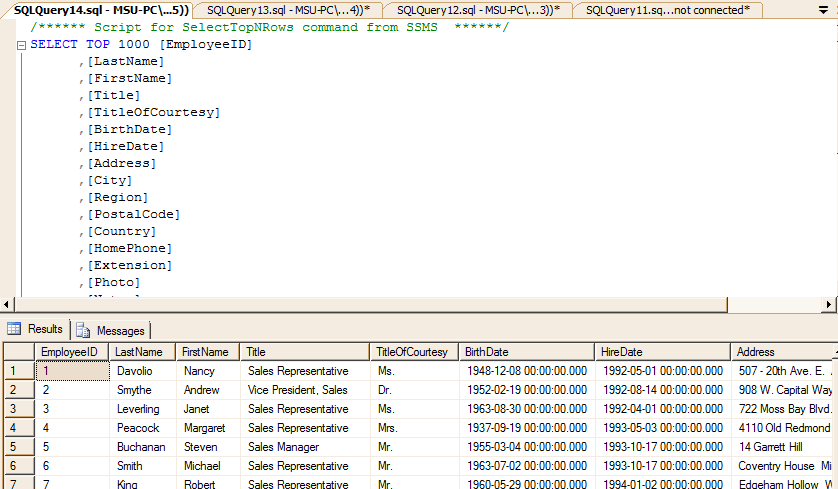
Example Employees table

select * from employees where SOUNDEX(lastname)=SOUNDEX('smith');
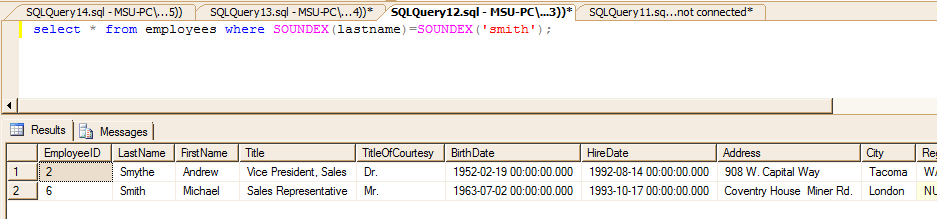
Soundex Function Example in MSSQL

SOUNDEX converts an alphanumeric string to a four-character code based on how the string sounds when spoken:
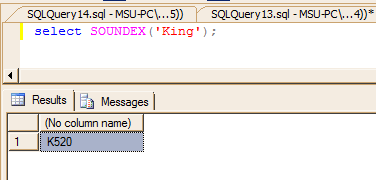
SOUNDEX four character code example

MySQL

SOUNDEX is also available in MySQL, but works only for English — words in other languages aren't supported as of MySQL version 5.1.

Syntax:

SOUNDEX(str)

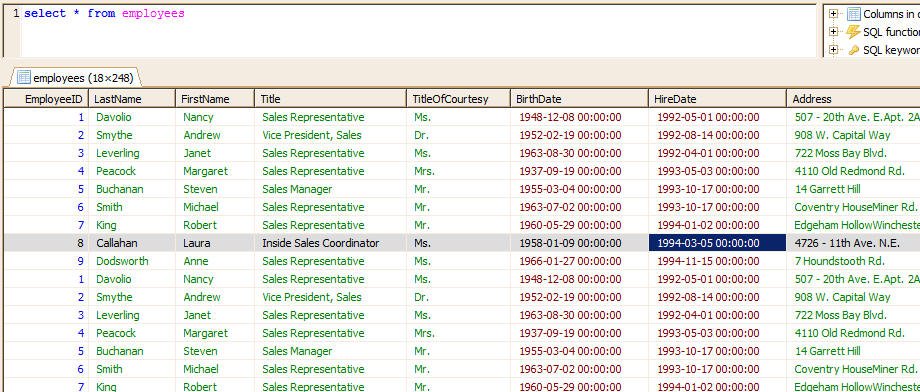
Suppose we have a table named 'Employees' with the following data:

MySQL Example Table

To see all employees whose name sounds like 'Smith':

select * from employees where SOUNDEX(lastname)=SOUNDEX('smith')

SOUNDEX example in MySQL

In MySQL, you can also write this more naturally:

select * from employees where lastname SOUNDS LIKE 'smith'

Back to Converting Functions from MSSQL to MySQL
