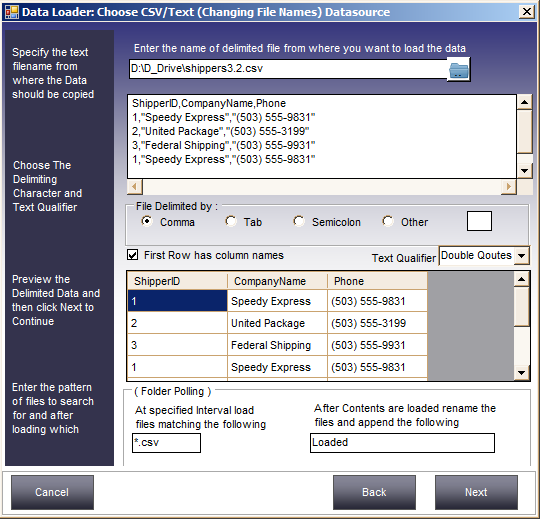
In some situations you need to load data whenever a CSV or text file appears in a folder. The files share the same structure — the same number of fields, the same delimiter — but the filenames keep changing.
These files could be generated by a third-party program running on the same computer or a different one (possibly Unix), or received via FTP. The Folder Polling feature in Data Loader repeatedly checks whether files matching a pattern you specify have appeared in the specified folder.
As soon as files appear, Data Loader loads the data from these files into a target table in any supported database (Oracle, MySQL, MS SQL Server, MS Access, FoxPro, Visual FoxPro, Text). After loading, files are renamed to prevent loading the same content again.