Step by Step Tutorial to Convert MSSQL to MySQL using Data Loader, Continued...
Column Mapping and Loading options in the Convert MSSQL to MySQL Tutorial.
You'll now see the "Source and Destination Tables" form:
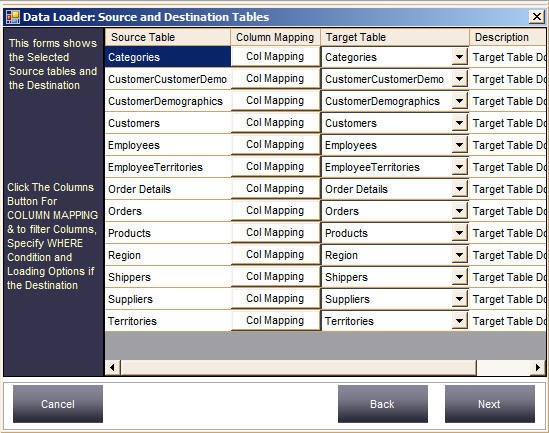
Click the "Target Table" dropdown to choose a different existing target table for the corresponding source table. Data Loader shows the list of existing tables and also lets you type in a new table name — the Description column shows whether the target table exists.
If the target table doesn't exist, Data Loader creates it automatically with matching datatypes and widths.
In this tutorial we don't need to do any column mapping or change datatypes, so we can just click Next and skip the rest of the advanced section.
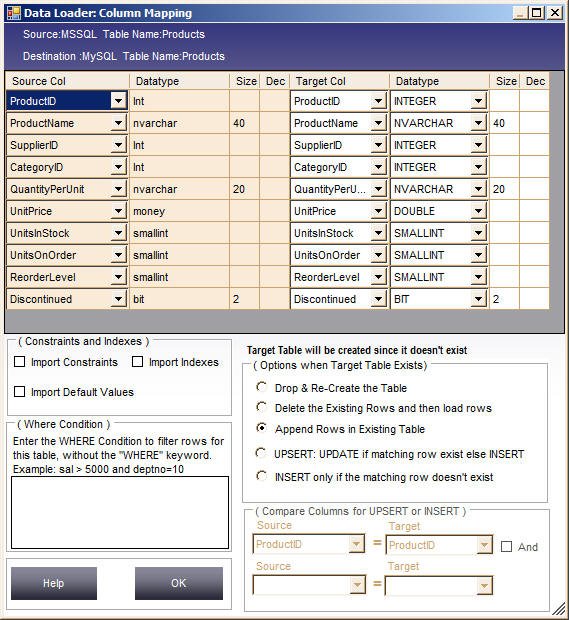
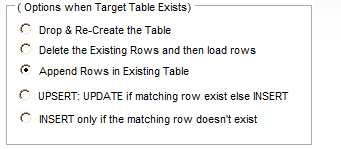
If you want a different datatype or width for a column, do so on the Column Mapping screen. Besides changing datatypes and widths, you can map source and target columns, define a WHERE condition to filter rows, specify whether to import constraints and indexes, and specify load options.
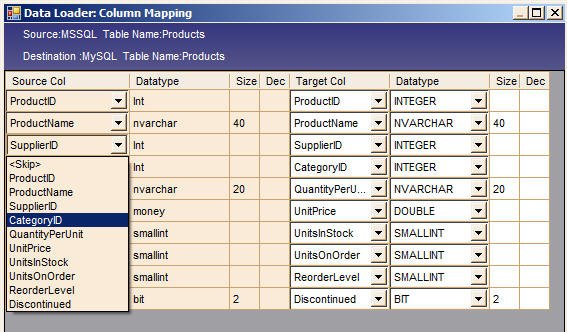
To get to the Column Mapping screen, click "Col Mapping" between each Source and Target table. Let's click it for the Products table:

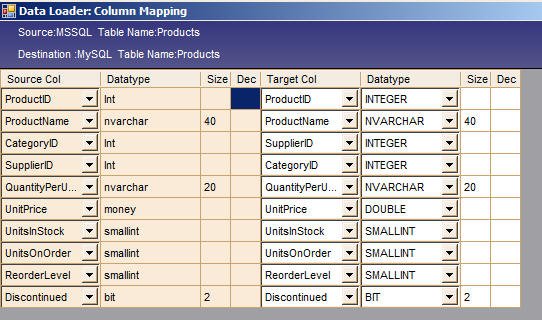
On this form you can map source columns to target columns. For example, to swap CategoryID and SupplierID between source and target, use the Source Col dropdown:


You can also change the target column datatype via the Datatype dropdown, and the size by typing in the Size cell.
Note: you can't change the target datatype or size if the target table already exists — only if it doesn't exist yet. However, you can still do column mapping for existing tables via the Source Col dropdown.
Check "Import Constraint", "Import Indexes", and "Import Default Values" if you want to import those.


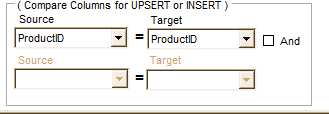
This is enabled only when you choose UPSERT or INSERT loading. Here you specify the comparing columns used to match source and target rows for existence checks — up to two compare columns.

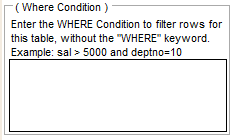
Specify a WHERE condition to filter rows from the source table — handy when you want to load only rows matching a particular criteria instead of all rows.