Converting UNIQUEIDENTIFIER (GUID) Datatype to MySQL


The Uniqueidentifier is a data type in Microsoft SQL Server used to store Globally Unique Identifiers (GUIDs) — a 16-byte binary value used as an identifier that needs to be unique across many computers and locations.

GUIDs in SQL Server

The GUID is generated by calling the Transact-SQL NEWID() function and is guaranteed to be globally unique. For example:

SELECT NEWID()

You'll get a value similar to:

54E95881-D3A2-4946-B138-DA730E286A89

Each call returns another unique value. GUIDs are long and not human-readable — if you insert a lot of rows with a randomly generated GUID key, you get random I/O in the index, which can hurt performance. GUIDs are also relatively large compared to other data types, so they're recommended only for narrow scenarios where other types aren't suitable.

Coming to MySQL

MySQL has no exact equivalent to UNIQUEIDENTIFIER — you'll use BINARY, VARBINARY, or VARCHAR to store GUID values. To generate them, use the UUID() function; MySQL also provides UUID_TO_BIN and BIN_TO_UUID to convert UUID values to and from binary.

SELECT UUID();
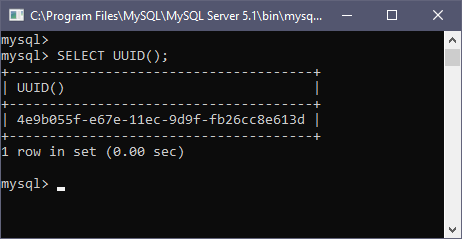
MySQL UUID function

Run it again and you'll get a different value:
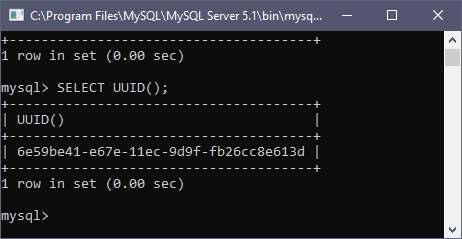
MySQL UUID function second call

UUID is unique across tables, databases, and computers, but it's not human-readable and takes more space. Most of the time we convert UUID values to binary with UUID_TO_BIN to save space, then reconvert with BIN_TO_UUID as needed.
Converting MS SQL Server to MySQL with Data Loader

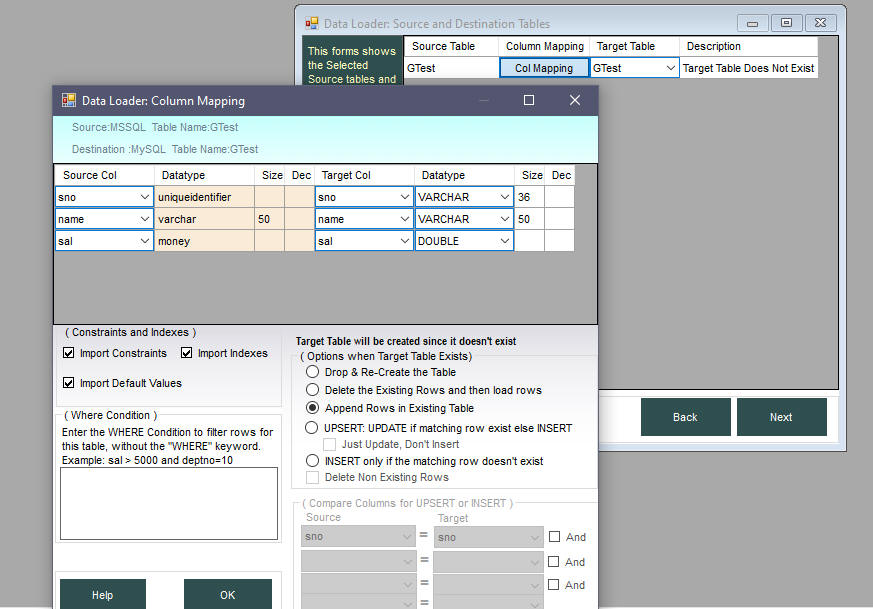
When converting an MSSQL table with a UNIQUEIDENTIFIER column to MySQL, Data Loader automatically matches it to a Varchar(36) column — storing GUID values as characters in MySQL.

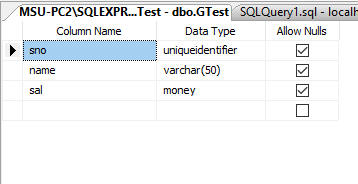
Suppose we have a table in MS SQL Server with the following structure:

MSSQL source table

Start Data Loader, choose MS SQL Server as source and MySQL as target, select this table from the list, then choose the MySQL target database. On the Source and Destination Tables screen, click Col. Mapping to see the matching datatypes Data Loader will create:

MSSQL to MySQL GUID column mapping

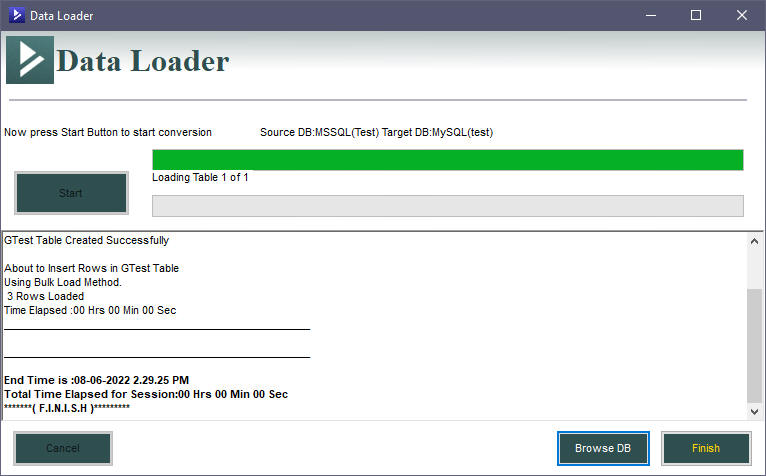
Accept the default mappings, click OK, then Next. Follow the wizard to the final screen and click Start to begin the conversion. Once finished, you'll see a log like this:

MSSQL to MySQL GUID conversion log

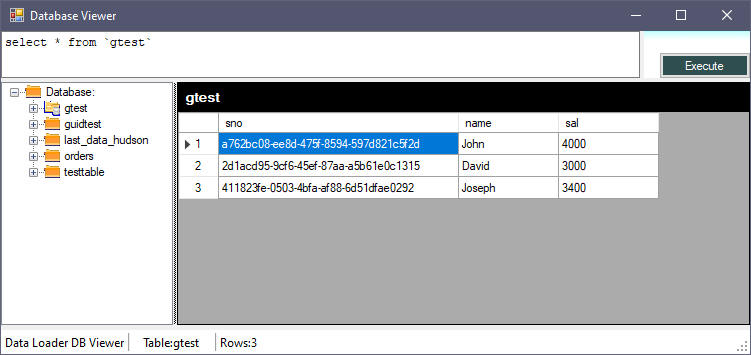
Click Browse DB to view the target MySQL table:

Target MySQL table with GUID values after conversion

That's how easy it is to convert an MS SQL Server table with a UNIQUEIDENTIFIER datatype to MySQL using Data Loader. If you want to save space later, you can add a binary column, populate it using UUID_TO_BIN, and drop the original character column.

Download Data Loader Convert MSSQL to MySQL