Converting from MS SQL Server to MySQL
Cross-database migration is complex and needs proper planning. Using the sample Northwind database from Microsoft as a demo, here are the three tools I tested, ranked by efficiency and performance.
1. Data Loader
It stands apart from all other tools I tested, with the fewest issues while converting from SQL Server to MySQL — only two minor default-value issues needed manual attention. The standout feature is the ability to load into existing tables, not just fresh ones, complete with column mappings. It can also synchronize source and target tables using your chosen comparison columns, or the default primary key columns, and comes with its own scheduler.

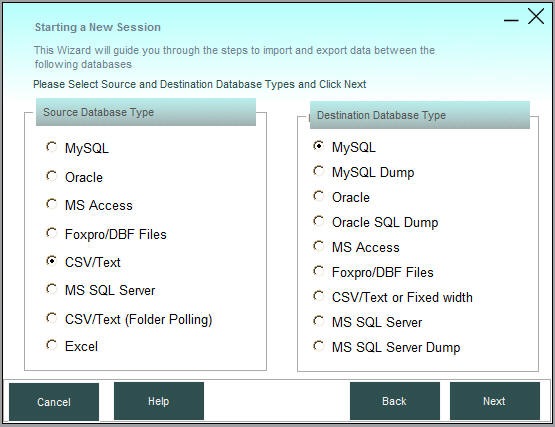
It also includes a separate command-line tool to execute saved sessions from other applications, or via Windows Task Scheduler at set intervals.
Pros
- Convert and load data into new tables or existing tables
- Column mapping
- Uses the latest providers and drivers for fast migration, not just old ODBC drivers
- Synchronization between any database and any other database
- Can create SQL dumps where a direct connection to the target database isn't available
- Comes with its own scheduler to run conversions at specified intervals
- Email notifications
- Can convert views from one database to another as tables or views
Cons
- Does not convert procedures and triggers
- Runs only on Windows
Download Data Loader
2. MySQL Workbench
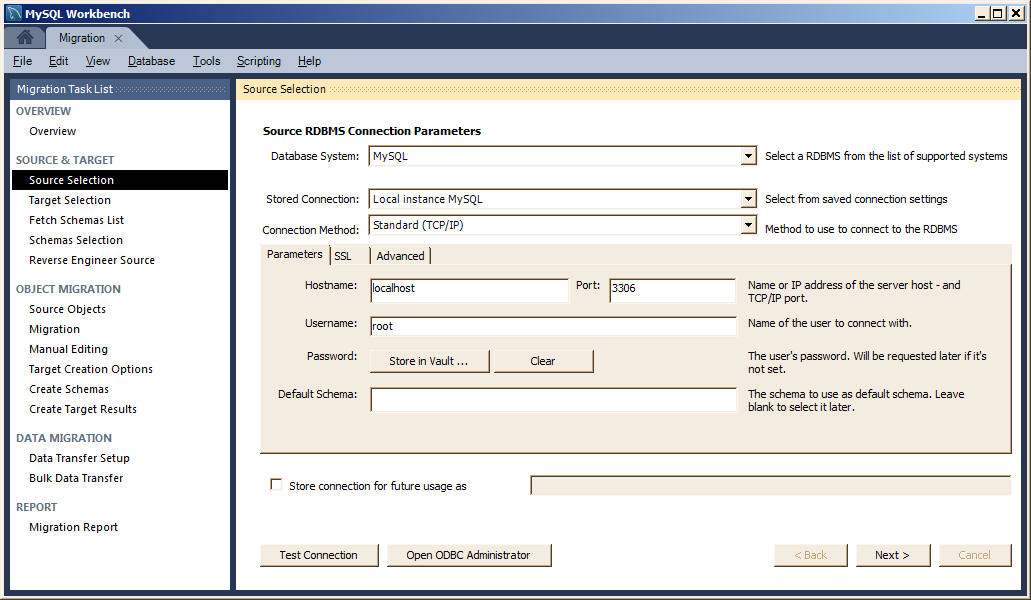
The free tool from the MySQL stable. It converts from MS SQL to MySQL using ODBC drivers — you'll need the SQL Server ODBC driver installed and an ODBC DSN created via Windows Control Panel before calling it from Workbench's Migration Wizard (Database menu → Migration Wizard).
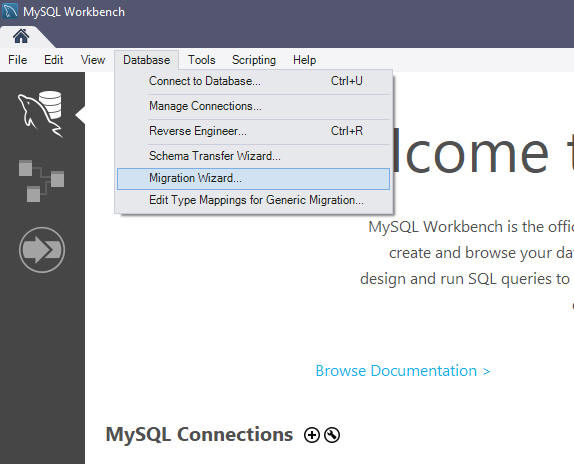
Although it migrated tables successfully, it failed to convert views, doesn't let you load data into existing tables (let alone map columns), doesn't save migration jobs, and offers no synchronization support.
Pros
- Free tool
- Basic schema and data migration
- Visual interface
Cons
- Can only load data into new tables — not existing tables
- No column mapping
- Uses only old ODBC drivers
- No synchronization between source and target databases
- Limited data type conversion
- No support for complex objects
- Performance issues with large databases
Download MySQL Workbench
3. MSSQL Import & Export Tool
MS SQL Server ships with its own Export and Import tool, free even with Express editions — though Express editions won't let you save migration jobs. It relies on ODBC drivers; if you're running it on the same machine as MSSQL, the SQL Server ODBC driver is already installed, but you'll still need the MySQL ODBC driver from the MySQL website.
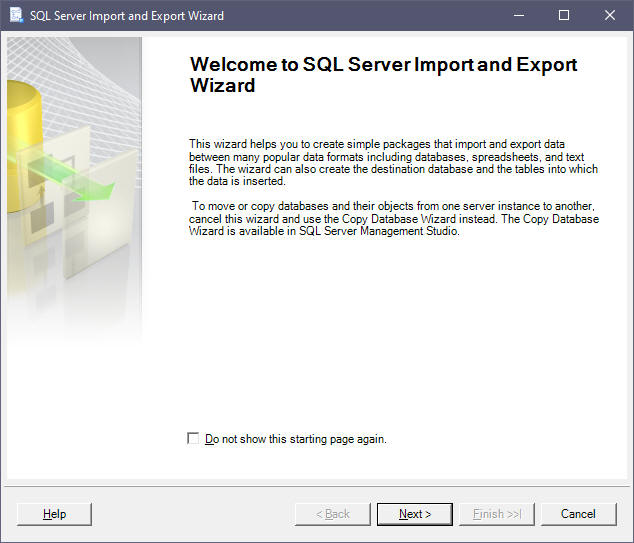
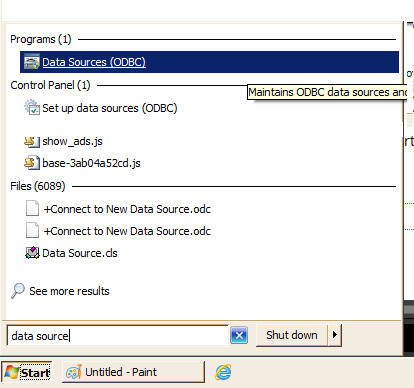
After installing the ODBC drivers, start the ODBC Administrator to create data sources: open the Start Menu, type "Data Sources" in the Run command box, then open Data Sources (ODBC).
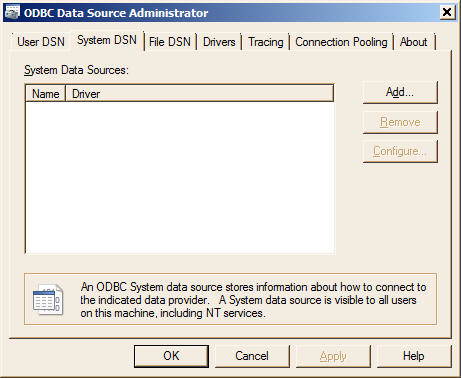
Click the User DSN or System DSN tab and Add to choose your DSN name, ODBC driver, and connection details.
Pros
- Free tool
- Basic schema and data migration
- Visual interface
Cons
- Can only load data into new tables — not existing tables
- No column mapping
- Uses only old ODBC drivers
- No synchronization between source and target databases
- Limited data type conversion
- No support for complex objects
- Performance issues with large databases
For step-by-step instructions, see How to Export Data from MSSQL Using SQL Server Management Studio (SSMS).