Troubleshooting Connection Problems While Connecting to MySQL Server


Here are the common errors and their solutions while connecting to MySQL Server in Data Loader.

1. Host 'xxx.xx.xxx.xxx' is not allowed to connect to this MySQL server
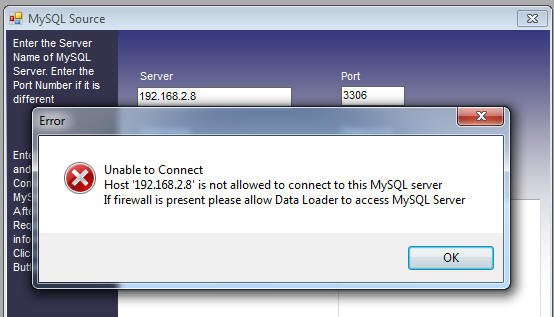
Connecting to MySQL

Solution: This error is generic — there can be various reasons for it. One reason might be that the 'user' and client 'host' don't have the proper privileges. Grant the privileges with the following commands from the MySQL command line:

mysql> use mysql
mysql> GRANT ALL ON *.* to urUser@'[urhostname]' IDENTIFIED BY 'urpassword';
mysql> FLUSH PRIVILEGES;

Replace urUser and urpassword with your own username and password.

If the connection to MySQL still doesn't work, make sure networking is enabled on the MySQL database. For newer versions of MySQL, this can be achieved using the MySQL Server Instance Configuration Tool — one of its options is to enable TCP/IP networking. The tool will also let you specify a port (default 3306) and create a firewall exception.
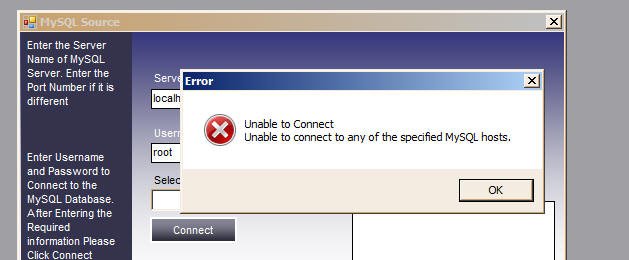
2. Unable to Connect to Any of the Specified Hosts

MySQL TCP protocol

Solution: This is a generic error that can be caused by different reasons. Please try any of the following:

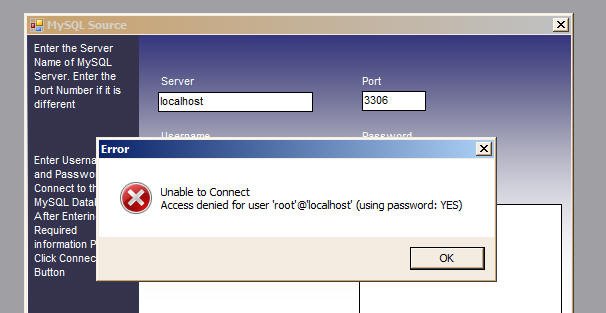
3. Access Denied for User 'UserName'@'HostName' (using password: YES)

Access denied for user error in MySQL

Solution: This usually occurs due to a wrong password. Please supply the correct username and password.

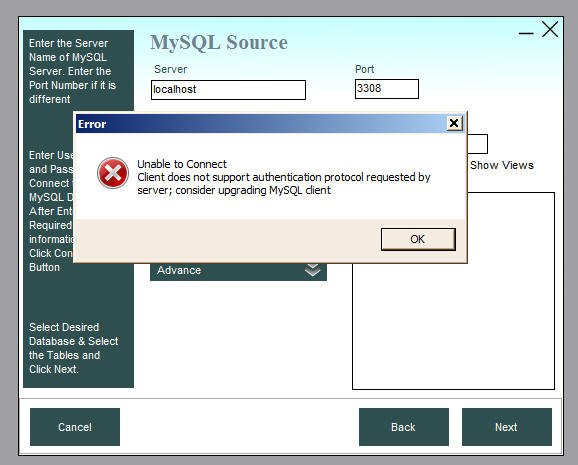
4. Client Does Not Support Authentication Protocol Requested by Server

MySQL 8 connection problem

Cause: This issue occurs when connecting to MySQL 8. In MySQL 8.0, a new authentication protocol called caching_sha2_password was introduced and is enabled by default. To connect to a MySQL 8.0 instance, the client must also use MySQL 8 libraries. If you're using Data Loader version 4.8.x or earlier, you might face this error, as it uses older MySQL libraries.

Solution: Upgrade to Data Loader version 4.9, which uses the latest MySQL connection libraries.

Or, if you want to stick with an earlier Data Loader version, follow this workaround:

  1. Create a new user in the MySQL 8 database:
    mysql> create user user1@localhost identified by 'passxxx'
  2. Grant required privileges:
    mysql> GRANT ALL ON *.* to user1@localhost IDENTIFIED BY 'passxxx';
  3. Change the authentication method for this user to the old one:
    mysql> ALTER USER user1@localhost IDENTIFIED WITH mysql_native_password BY 'passxxx';

You can now connect to MySQL 8.0 with this "user1" account in Data Loader 4.8.x or earlier.

Top tools for converting and synchronizing MS SQL Server to MySQL