Automating Data Entry in Oracle Apps


Are you tired of large data entry jobs? Data Loader is a tool that helps automate filling in any Windows-based application forms. It's specially built for the Oracle EBS suite, but can be used for any Windows forms application such as SAP.

Data Loader Tutorial  |  Data Loader for Oracle R12

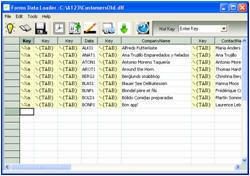
Data Loader Screenshot

Automating the loading of data through Data Loader can be done in just three steps:

  1. Record
  2. Populate the data from Excel, CSV, or any delimited file
  3. Play

Step-by-Step Explanation

  1. Start your target application form in which you want to automate data loading, and move the cursor to the first field.
  2. Start Forms Data Loader by clicking its desktop icon.
  3. Click the "Create New by Macro Recording" button — a dialog will be displayed.
  4. Click "Start Recording" in the dialog.
  5. Switch to your target application form window.
  6. Enter a sample record in your target application form.
  7. After entering the record, click "Stop Recording" in the dialog.
  8. Click "Create Load".
  9. You'll see an Excel-like sheet in Forms Data Loader with all the fields you entered in the form.
  10. Populate this sheet by copying and pasting data from Excel, or from any CSV or delimited file.
  11. Once populated, click "Load".
  12. Watch how Data Loader automatically loads all the data into the form.

You can try it yourself by downloading a trial edition of Data Loader.

For more information, please visit www.formsdataloader.com.